Le cimetière des intégrations : pourquoi les consultants solo qui connectent leurs outils IA à QuickBooks finissent avec deux systèmes à gérer
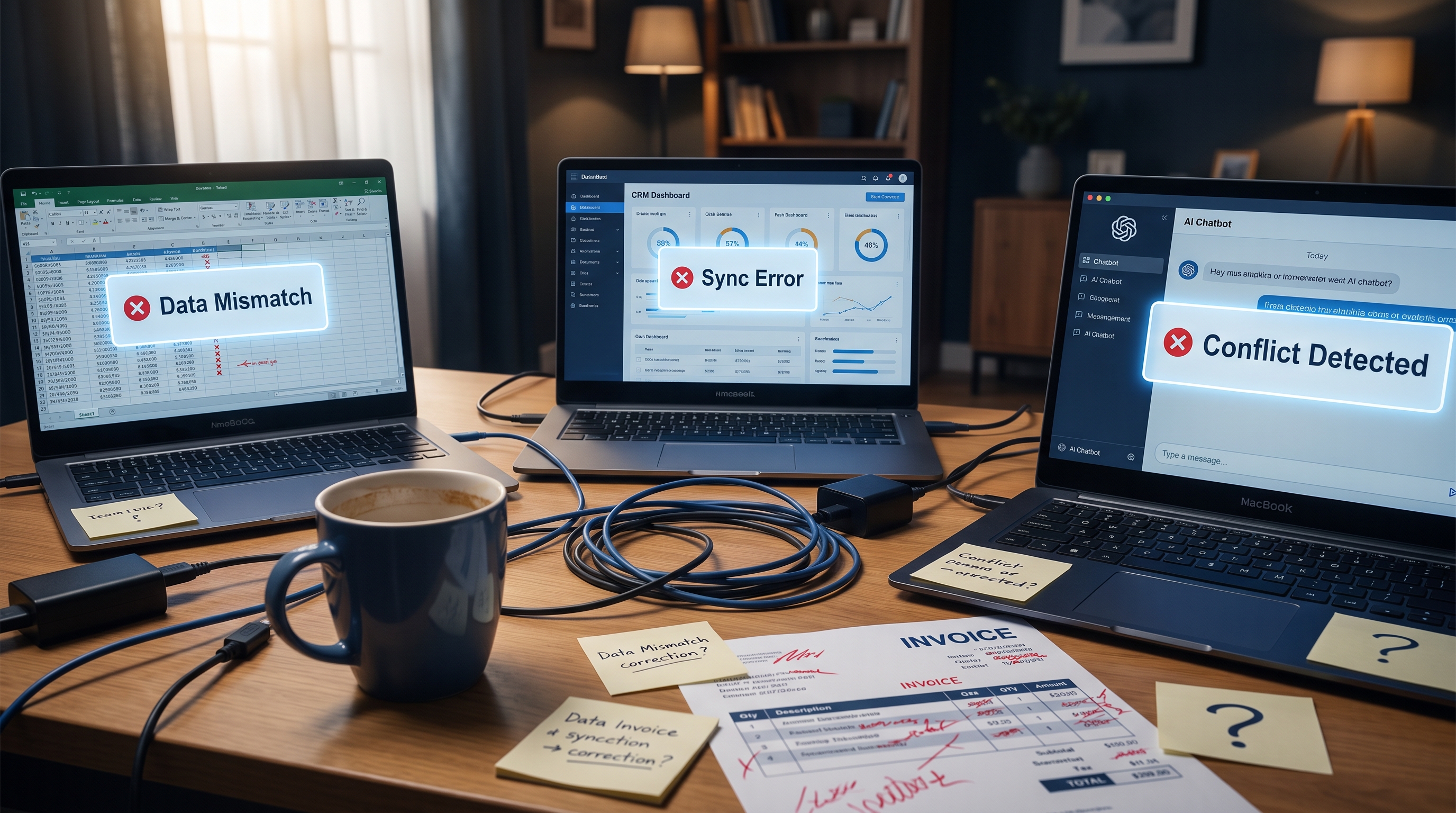
La plupart des consultants solo ne réalisent pas que l'intégration a échoué avant trois mois. À ce moment-là, les dégâts sont invisibles et les contournements semblent normaux. Tu copies manuellement les montants de tes soumissions IA dans QuickBooks. Tes contacts dans le CRM ont divergé de ta liste de clients en comptabilité. Tu réconcilies deux sources de vérité en fin de mois parce qu'aucune des deux n'est vraiment fiable.
C'est ça, le cimetière des intégrations. Pas un crash spectaculaire. Une accumulation tranquille de rustines, d'exports et de contournements qui finit par te coûter plus de temps que tes outils IA t'en ont jamais sauvé.
Les échecs d'intégration d'outils IA avec QuickBooks et les CRM, c'est l'un des problèmes les plus fréquents et les moins diagnostiqués que je vois dans les pratiques de travailleurs autonomes. Les outils fonctionnent chacun de leur côté. L'intégration a l'air de marcher. Mais quelque part dans l'espace entre les systèmes, les données fuient, et c'est toi qui remplis le seau manuellement.
Pourquoi le problème commence avant même d'appuyer sur le bouton
L'échec n'a habituellement rien à voir avec les outils eux-mêmes. Il vient d'un décalage fondamental entre la façon dont les outils d'automatisation IA pensent les données et la façon dont QuickBooks les stocke.
Les agents IA et les workflows d'automatisation fonctionnent à partir de ce que les spécialistes en intégration appellent un modèle de données : un schéma structuré qui définit comment l'information est nommée, typée et organisée. QuickBooks a son propre schéma. Ton CRM a le sien. Ton outil de soumission IA, ton logiciel de calendrier, ton workflow d'accueil client, chacun a le sien.
Quand ces schémas ne concordent pas parfaitement, la couche d'intégration doit traduire. Et c'est dans la traduction que vivent les erreurs.
Selon une analyse d'intégration comptable de HammerFin, les agents IA qui catégorisent des transactions ou signalent des anomalies ont besoin d'un schéma cohérent entre les plateformes pour fonctionner de façon fiable. Dès que ce schéma se dégrade, parce que les noms de champs diffèrent, que les types de données ne correspondent pas, ou qu'un système a un concept que l'autre n'a pas, l'agent produit un résultat erroné ou ne produit rien du tout.
Pour un consultant solo, ça se manifeste de façon très concrète :
- Ton outil de facturation IA crée un dossier client avec un champ appelé « Company Name ». QuickBooks le stocke sous « Customer Display Name ». La synchronisation crée un doublon au lieu de faire le lien avec le dossier existant.
- La phase de transaction dans ton CRM ne correspond à aucun statut de facture dans QuickBooks, alors la reconnaissance des revenus devient manuelle.
- Ton outil de catégorisation des dépenses utilise des étiquettes qui ne s'alignent pas avec ton plan comptable dans QuickBooks, ce qui crée un problème de réconciliation que ton comptable découvre en février.
Rien de tout ça n'est catastrophique le jour un. Ça se cumule sur des mois.
Le problème d'architecture de QuickBooks dont personne ne te parle
Voici quelque chose qui apparaît rarement dans les tutoriels d'intégration : QuickBooks n'a pas été conçu en tenant compte de l'architecture moderne des agents IA. L'analyse publiée par DualEntry en septembre 2026 l'énonce clairement. QuickBooks Online, QuickBooks Enterprise, Xero et Sage ont tous été architecturés avant que l'IA moderne soit une considération de conception. C'est pas une critique. C'est une réalité structurelle qui influence chaque décision d'intégration que tu prends.
Le nouveau palier QuickBooks Solopreneur, qui a remplacé l'ancien produit Self-Employed, a amélioré l'interface utilisateur mais a hérité de plusieurs contraintes de la plateforme sous-jacente. Les évaluations actuelles confirment qu'il manque encore un plan comptable traditionnel dans le format attendu par les CPA, ce qui signifie que tout outil IA qui tente de catégoriser des dépenses selon les normes comptables travaille contre un modèle de données qui ne supporte pas pleinement le mappage.
Intuit développe sa propre couche IA, appelée Intuit Intelligence, directement dans QuickBooks Online. Elle combine IA et intelligence d'affaires pour automatiser les tâches financières à partir de tes données existantes. Mais cette couche native est fermée. Elle traite les données qui vivent déjà dans QuickBooks. Elle ne crée pas de chemin propre pour que des outils IA externes puissent réécrire des données dans QuickBooks avec le contexte et la structure que ces outils utilisent à l'interne.
Résultat : tu as l'IA d'Intuit qui travaille à l'intérieur de QuickBooks, et ta pile d'outils IA externes qui travaillent en dehors, et le pont entre les deux, c'est soit une connexion API fragile, soit un humain avec un chiffrier.
Les trois modes d'échec qui remplissent le cimetière
Après avoir examiné des dizaines de configurations de travailleurs autonomes, j'ai identifié trois modes d'échec spécifiques qui expliquent la majorité du travail manuel que je vois.
Mode d'échec 1 : L'intégration du parcours idéal
La plupart des intégrations d'outils IA sont conçues pour gérer le cas attendu. Le client signe une soumission, le système génère une facture, la facture se synchronise dans QuickBooks. Ça marche jusqu'à ce que le client demande un paiement partiel, une modification de portée, un crédit ou une annulation de projet en cours de cycle. Aucun de ces cas particuliers n'a été prévu. Chacun devient une intervention manuelle. Avec le temps, les exceptions finissent par dépasser les cas simples.
L'analyse de SoluLab sur l'intégration de logiciels note qu'une soumission qui décrit seulement le parcours idéal est incomplète par définition. Les modes d'échec, c'est le vrai projet. Pour les travailleurs autonomes qui configurent des intégrations eux-mêmes ou via un pigiste sans cartographie des exceptions, c'est là que le cimetière commence à se remplir.
Mode d'échec 2 : L'illusion de la maintenance
Les intégrations ne sont pas des projets avec une date de fin. Ce sont des infrastructures qui demandent une surveillance continue. Comme le note 1406 Consulting dans son guide d'intégration 2026, une nouvelle discipline appelée integration operations a émergé précisément parce que les entreprises ont réalisé que les intégrations se dégradent avec le temps sans que personne le remarque.
Quand QuickBooks met à jour son API, ton intégration peut silencieusement arrêter de synchroniser. Quand ton outil IA change son format de sortie, le mappage des champs brise. Quand tu mets à jour ton CRM, la connexion à QuickBooks doit être revalidée. Les consultants solo n'ont presque jamais de couche de surveillance en place. Ils découvrent le bris quand un client demande pourquoi sa facture est absente.
Mode d'échec 3 : La dérive du schéma
Avec le temps, tu commences à faire des changements dans un système qui ne se propagent pas à l'autre. Tu ajoutes une nouvelle ligne de services dans ton outil de soumission IA mais oublies de créer le compte de revenus correspondant dans QuickBooks. Tu renommes un client dans ton CRM mais le dossier QuickBooks reste sous l'ancien nom. Six mois plus tard, tes rapports sont fragmentés et ton comptable te pose des questions auxquelles tu ne peux pas répondre clairement.
C'est la dérive du schéma. C'est lent, invisible et coûteux à démêler.
Ce que les calculs de retour sur investissement ignorent complètement
Chaque fournisseur d'outils IA va te montrer un calcul d'économie de temps. Automatise la facturation, économise 3 heures par semaine. Connecte ton CRM, élimine 2 heures de saisie de données. Les chiffres semblent convaincants.
Ce que ces calculs n'incluent jamais, c'est la charge de maintenance de l'intégration elle-même. Le temps que tu passes à vérifier que les synchronisations ont fonctionné. L'heure que tu passes à régler un doublon en fin de mois. Les 45 minutes avec ton comptable à expliquer pourquoi tes revenus dans QuickBooks ne concordent pas avec les transactions fermées dans ton CRM.
Tu veux voir comment les vrais chiffres se comparent pour ta pratique ? Le Calculateur de ROI IA gratuit te permet d'inclure le temps de maintenance en plus des économies, pour que la comparaison soit honnête.
Le rapport Deloitte Finance Trends 2026 a constaté qu'une majorité d'équipes financières avaient déployé des solutions IA, mais qu'une faible proportion avait pleinement intégré des agents IA dans la fonction financière. L'écart entre déploiement et intégration, c'est exactement là où les consultants solo sont coincés. Déployé, oui. Intégré, pas vraiment.
Le cadre pour diagnostiquer ton propre cimetière
Avant de pouvoir régler un problème d'intégration, tu dois le voir clairement. Voici comment j'aborde le diagnostic pour les consultants solo.
Couche 1 : L'origine des données Où chaque information est-elle créée en premier ? Nom du client, portée du projet, montant de la facture, statut du paiement. Cartographie chaque point de données vers son système d'origine. Si la réponse est ambiguë, t'as un problème.
Couche 2 : La destination des données Où chaque information doit-elle se retrouver pour que ton entreprise fonctionne ? Ton comptable a besoin de dossiers QuickBooks propres. Ton CRM a besoin d'un historique de transactions précis. Tes rapports doivent provenir d'une seule source fiable.
Couche 3 : Le fossé de traduction Pour chaque point de données qui prend naissance dans un système et doit atterrir dans un autre, il y a une traduction. Qui ou quoi effectue cette traduction aujourd'hui ? Si la réponse est « moi, manuellement » plus de deux fois, tu gères deux systèmes.
Couche 4 : La cartographie des exceptions Quel pourcentage de tes mandats clients implique quelque chose de non standard ? Modifications de portée, ajustements de retainer, factures partielles, pauses de projet. Si ce chiffre dépasse 20 %, ton intégration du parcours idéal ne te sert pas bien.
Pour les consultants qui veulent un point de départ structuré pour cartographier leurs lacunes de workflow, le AI Systems Starter Pack gratuit inclut des gabarits de workflow qui aident à clarifier d'où viennent les données et où elles doivent aller avant qu'une intégration soit construite.
Pourquoi le problème empire à mesure que tu ajoutes des outils IA
Il y a un effet multiplicateur qui prend les consultants solo par surprise. Chaque nouvel outil IA ajouté à ta pile introduit un nouveau schéma, une nouvelle API et un nouveau point d'intégration. Les spécialistes en intégration appellent ça le problème de multiplication point à point. Deux systèmes nécessitent une connexion. Trois systèmes en nécessitent trois. Quatre systèmes en nécessitent six. Chaque connexion est un point de défaillance potentiel.
Pour les travailleurs autonomes qui ont assemblé une pile d'outils IA au cours des deux dernières années, souvent en ajoutant un outil à la fois parce que chacun promettait de régler un problème précis, l'architecture d'intégration sous-jacente n'a jamais été conçue. Elle s'est accumulée. Et une dette d'intégration accumulée est nettement plus difficile à démêler qu'une architecture propre construite intentionnellement dès le départ.
C'est pourquoi penser à ta pile IA comme une infrastructure connectée plutôt qu'une collection d'outils individuels change le diagnostic. La question n'est pas de savoir si chaque outil fonctionne. La question est de savoir si le système fonctionne dans son ensemble. Le AI Business Toolkit inclut des cadres pour cartographier ta pile d'outils actuelle par rapport à tes flux de données réels, ce qui est la première étape pour voir où se trouvent les lacunes.
Les signaux que ton intégration est déjà morte
Tu gères peut-être déjà deux systèmes sans l'appeler comme ça. Surveille ces symptômes :
- Tu as une étape dans ton processus de fin de mois qui consiste à exporter un rapport d'un outil et à l'importer dans un autre.
- Tu as trouvé le même client sous deux noms différents dans tes systèmes au moins une fois au cours des six derniers mois.
- Tu ne peux pas générer un rapport de revenus à partir d'une seule source que ton comptable approuve entièrement.
- Tu as une étape manuelle « en attendant de régler l'intégration » qui existe depuis plus de 90 jours.
- Tu ressens du soulagement, pas de la confiance, quand tes chiffres de fin de mois concordent.
Si trois de ces éléments ou plus sont vrais, le cimetière est déjà actif. L'intégration n'est pas un pont entre les systèmes. C'est un poste de péage où tu transportes les données manuellement.
Comprendre les causes structurelles, c'est là-dessus que je me concentre dans le AI Automation Playbook, qui couvre comment réfléchir aux couches d'automatisation pour les entreprises de services avant de choisir des outils ou de construire des connexions.
La vraie question
La vraie question n'est pas comment réparer ton intégration actuelle. C'est de savoir si l'architecture actuelle peut être réparée du tout, ou si le geste le plus intelligent est de repenser le flux de données à partir de zéro, en partant de là où les données financières prennent naissance et en travaillant vers l'avant.
L'analyse d'intégration de HammerFin soulève un point qui mérite réflexion : l'écart entre l'endroit où les données financières prennent naissance et l'endroit où les décisions sont prises, c'est tout le problème. Dans une pratique de consultation solo, ces deux endroits sont souvent trois ou quatre outils à part, et aucun d'eux n'a été choisi en tenant compte des autres.
Le cimetière des intégrations ne se remplit pas parce que les outils sont mauvais. Il se remplit parce que l'architecture n'a jamais été conçue. Et c'est un type de problème bien différent d'une connexion API brisée.
Si tes dossiers QuickBooks, ton CRM et tes outils IA te racontent trois versions différentes de ta réalité d'affaires, c'est le signal diagnostique. Le AI Snapshot te donne un audit personnalisé de l'endroit précis où tes flux de données se brisent et à quoi ressemblerait une architecture cohérente pour ta pratique spécifique. Tu obtiens un portrait clair en 48 heures, sans passer des mois à régler ça toi-même.
Articles connexes
Le piège de la préparation à l'automatisation : pourquoi ton entreprise de services échoue avec l'IA avant même de commencer
La plupart des travailleurs autonomes blâment les outils quand l'automatisation ne fonctionne pas. Le vrai problème existait bien avant qu'ils achètent quoi que ce soit. Voici les trois conditions préalables qui déterminent si ton entreprise est vraiment prête.

Le mensonge du ROI en trois ans : pourquoi le 260 % de Pipefy ne s'applique pas à ta PME québécoise en six mois
Les études de cas d'entreprises promettent des retours de 260 %. Voici pourquoi ces chiffres sont structurellement impossibles à reproduire dans ta PME québécoise, surtout en six mois.

Le piège de l'automatisation des décisions : pourquoi tes agents IA échouent quand tes règles de jugement ne sont écrites nulle part
Tu as automatisé 80 % de ton workflow. L'autre 20 % revient constamment sur ton bureau. Voici pourquoi les agents IA échouent sur le travail de jugement et ce que ça te coûte vraiment.
Pour aller plus loin
Tu veux aller plus loin?
Obtiens le guide complet avec 25+ systèmes, gabarits et cadres prêts à utiliser.
Explorer le guide →